




Sheffield
FF&E Sign-Off Template for Interior Design Studios
An FF&E sign-off an interior design studio sends after signing: what the client is approving, the selection priced line by line, what changed, what stays fixed, and when orders go out.
Make it yours, in seconds
Every template is a starting point. Drag to shift colour, typography and layout — the live preview updates as you move.
Move the dots to shift colour, typography and layout. The preview updates live.
Get more from every document
Get a client to sign off on furniture, fixtures, and equipment orders without a back-and-forth of emails. Pricing tables, lead times, change tracking, and a signature block sit ready to edit.
Get the agreement signed on the page
Your client reads the scope, checks the price, and signs in the same document. No printing, no PDF, no chasing.
Assemble agreements from sections you trust
Drop in pricing, steps, and terms blocks, then save your own versions to reuse on the next client deal.


Sign-ready on any client's screen
Your gallery, pricing, and terms read cleanly on a phone in a taxi or a laptop at the desk.


See which terms your client lingers on
Heatmaps show if they dwell on pricing or the accordion of terms, so you follow up while they're still deciding.
Know the moment they open it
A ping when your client views, comments, or signs tells you when to nudge and when to start the project.
Draft the deal together, live
You tweak the pricing while your producer updates the tasks and steps, all in the same agreement at once.
See how every part fits
The document opens with the order deadline and closes on a signature block with a hold-back option, moving the client from choices to cost to commitment. Keep, drop, or reorder anything to fit your project.

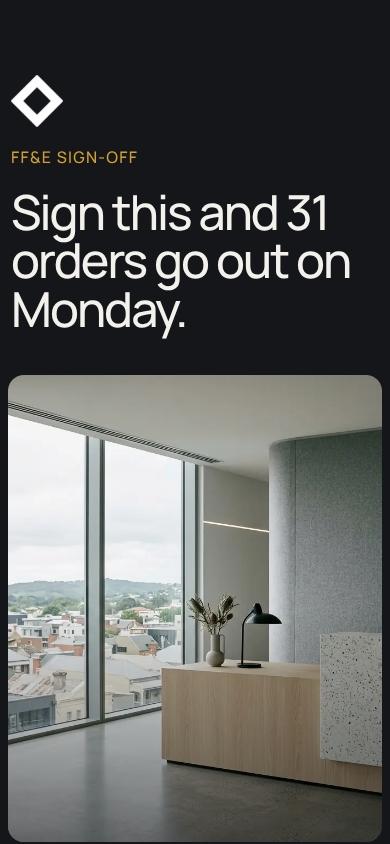
FF&E Sign-Off Hero with Clear Order Deadline
Opens with a direct call to action: sign and 31 orders go out Monday. Sets urgency and the purpose of the agreement immediately, so the client knows exactly what this document does.
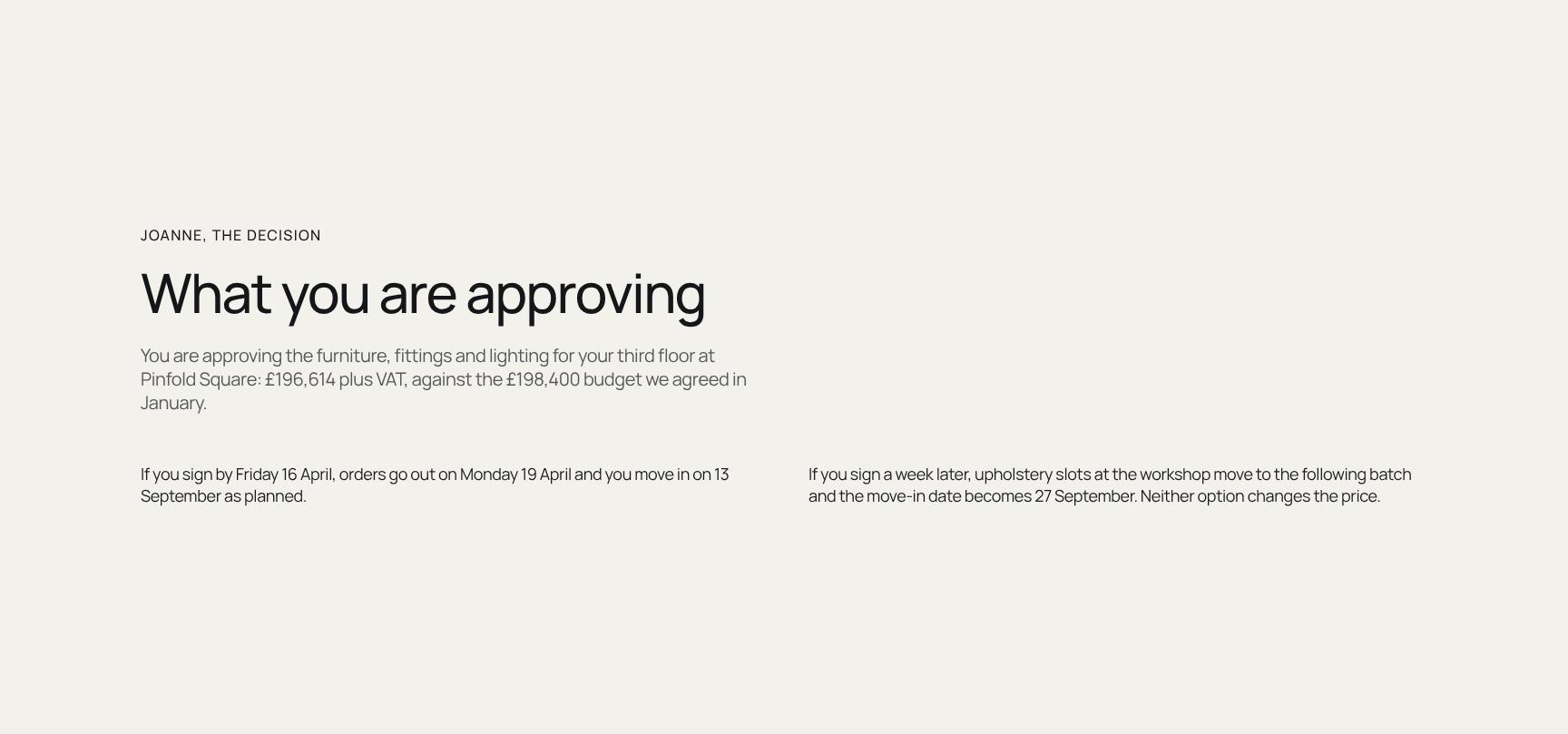
Approval Summary: Budget, Total and Decision Scope
States what the client is approving: furniture, fittings and lighting for the third floor, at £196,614 plus VAT against a £198,400 budget. Gives a clear, personal decision summary up front.
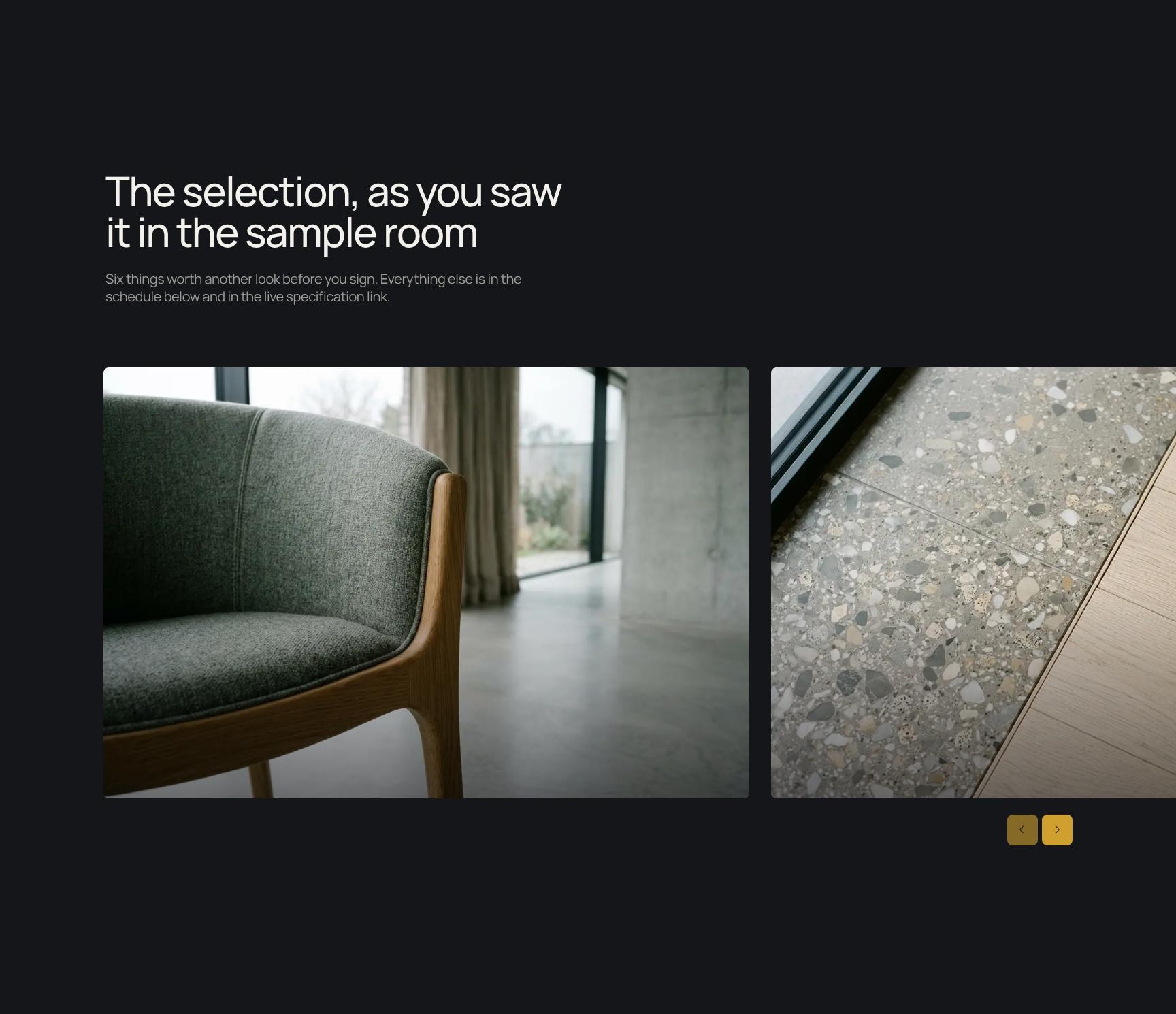
Sample Room Product Selection Gallery
Visual gallery of six key pieces from the sample room worth a final look before signing. Focuses attention on the items that matter most while pointing to the full schedule and live specification link.
Why It Matters: Ten-Year Workplace Impact Statement
An animated statement reminding the client that every line item will be used daily for ten years. Frames the spend as a long-term investment in the team's workplace and sets context for the schedule.
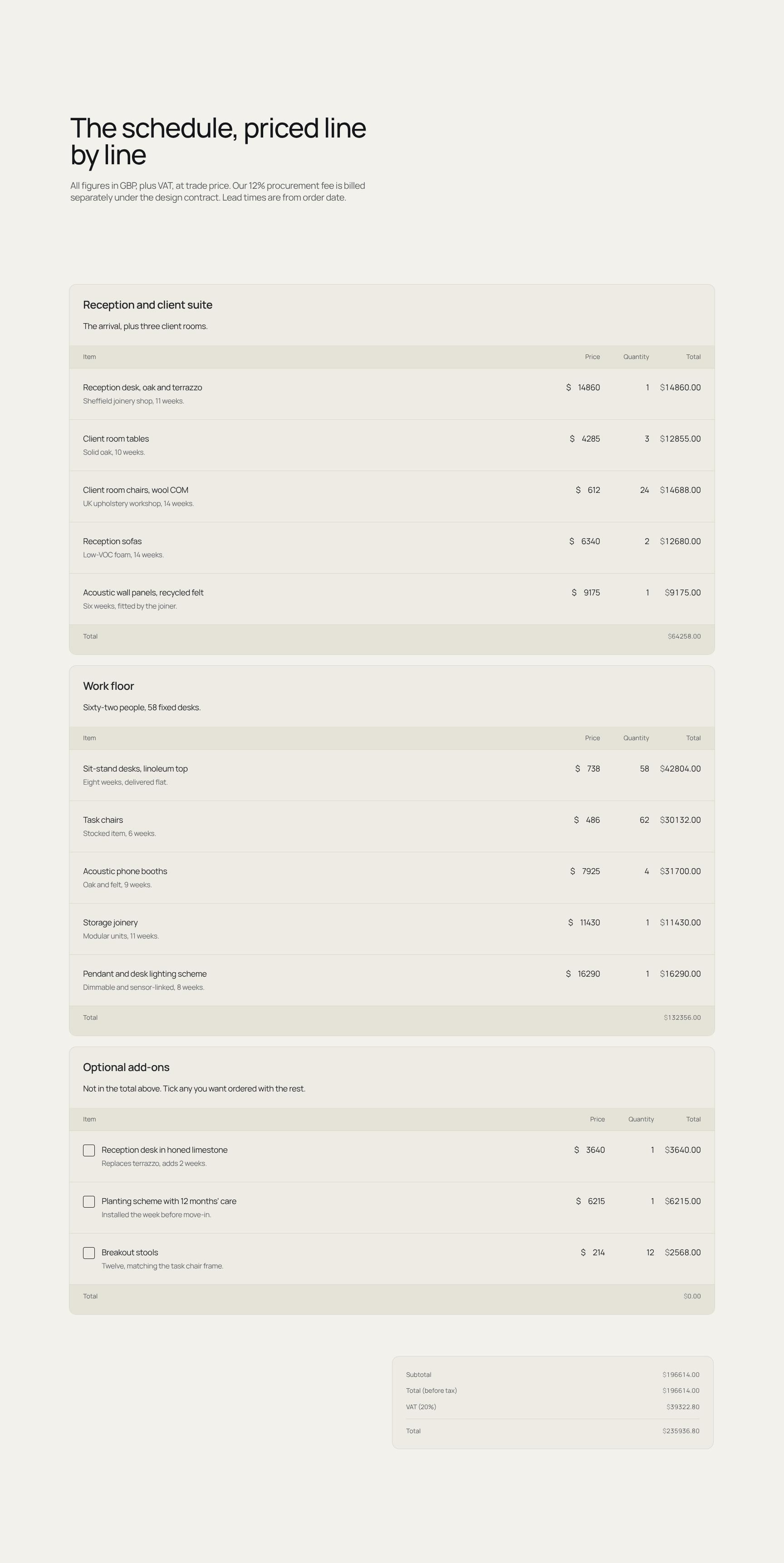
Line-by-Line FF&E Pricing Schedule with Lead Times
Itemised furniture, fittings and equipment schedule in GBP plus VAT at trade price, with lead times from order date. Notes the separate 12% procurement fee, so there are no cost surprises.
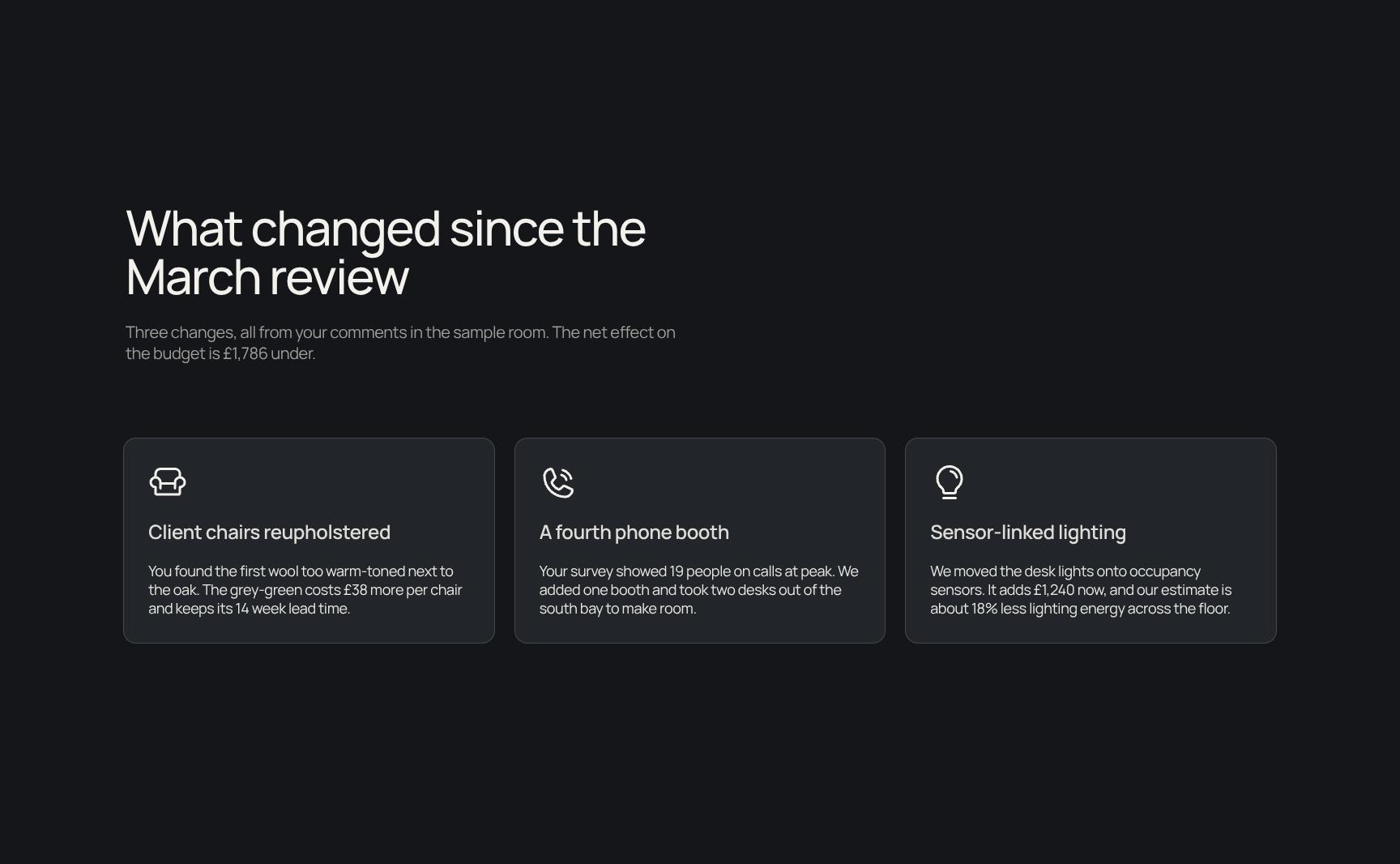
Changes Since March Review and Net Budget Impact
Summarises the three changes made from the client's sample room comments, with a net saving of £1,786. Shows feedback was heard and acted on, and keeps the budget transparent.
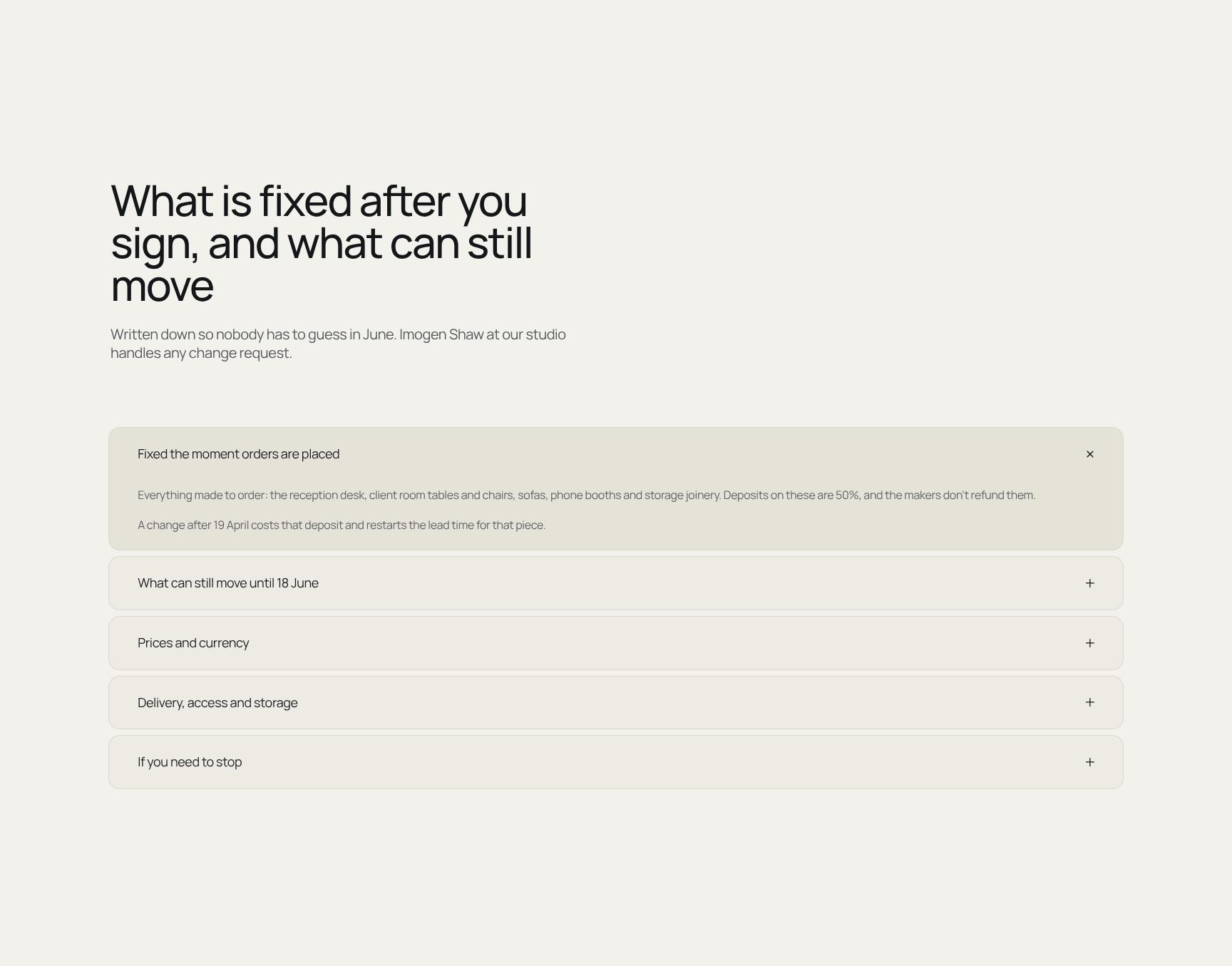
Post-Signature Terms: What's Fixed and What Can Move
Expandable accordion setting out what locks on signing and what can still change. Names Imogen Shaw as the contact for change requests, removing ambiguity and later disputes.

21-Week Delivery Timeline from Signature to Move-In
Task-based timeline showing upholstery's 14-week lead time driving the schedule, with installation following the final delivery into store. Helps the client plan the move-in date with confidence.
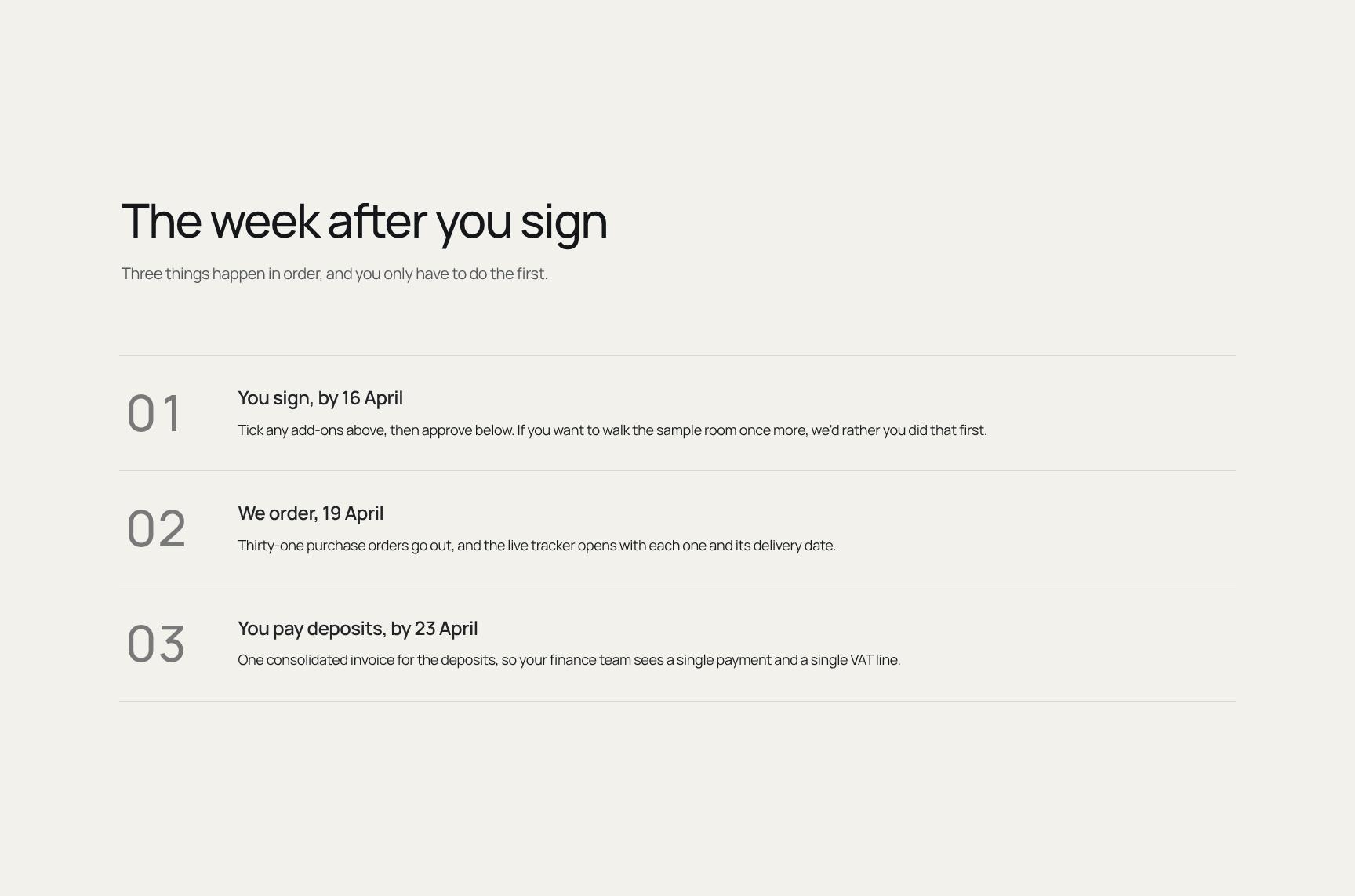
Three-Step Process for the Week After You Sign
Simple ordered steps showing what happens next, with only the first action needed from the client: tick any add-ons and approve by 16 April. Reduces effort and makes the process easy to follow.
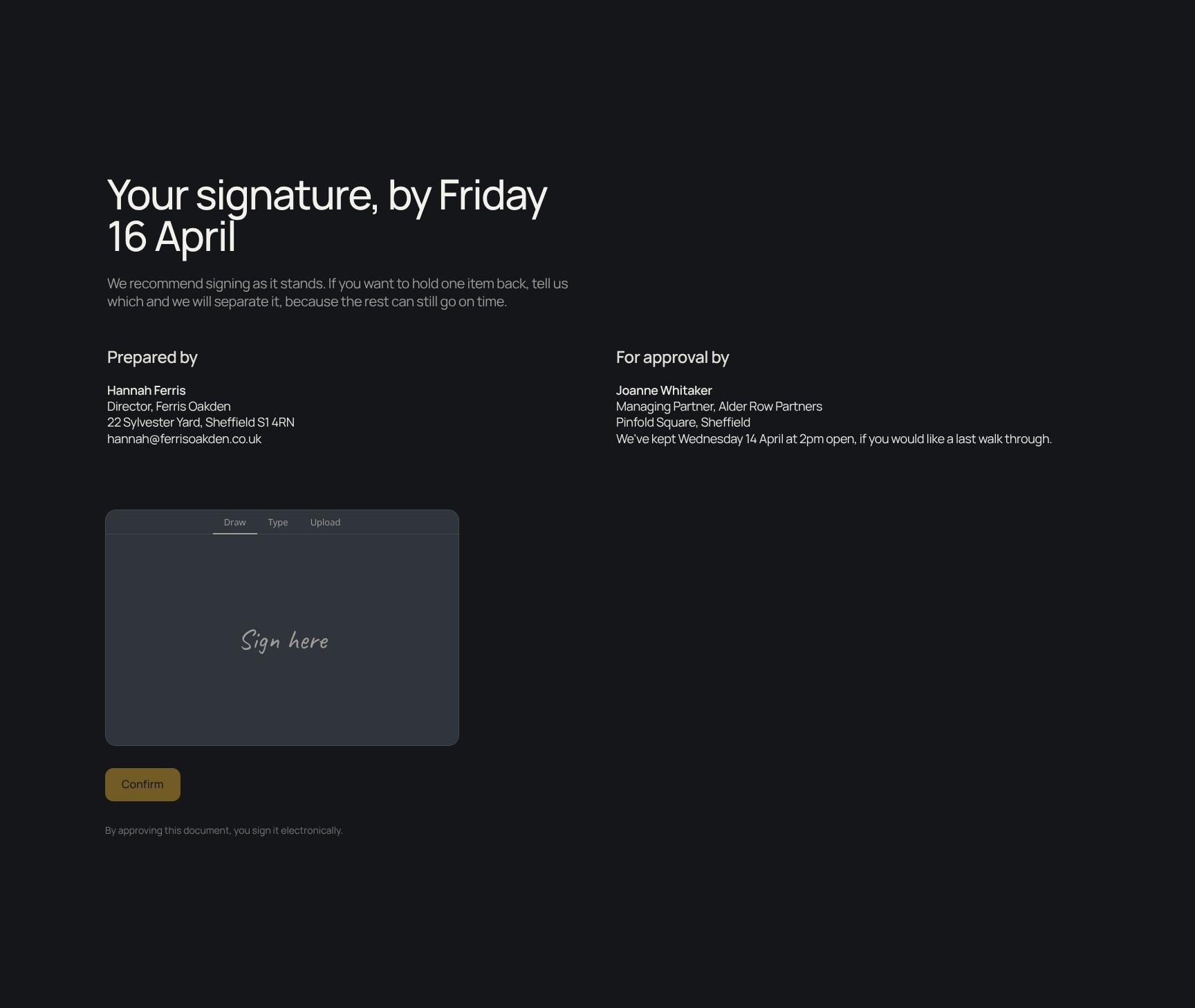
Digital Signature Block with Hold-Back Option
Final sign-off by Friday 16 April, with a clear recommendation to sign as is. Offers the option to hold back individual items without delaying the rest of the order.
Find your answers
Answers to common questions about using this template to get client approvals on creative project agreements and orders.
A strong approval agreement should include a sign-off section, a clear description of what you're approving, the selection being made, and why it matters. It should also include the schedule for next steps and a summary of what changed from prior versions. These sections create a clear record of who approved what and when.
Replace the placeholder text in each section with your project details, starting with 'What you're approving' and 'The selection.' Update 'The schedule' with your own milestones and dates, and list revisions under 'What changed.' You can also reorder, rename, or remove sections to match your workflow.
Yes, you can export the completed agreement to common formats such as PDF and Word so it is easy to share, print, or send for signature. PDF is best for a final, locked record, while Word works well when stakeholders need to edit or comment. Always review formatting after export to make sure sections and signature areas display correctly.
Yes, the structure works for any industry where a client or stakeholder must approve a choice, such as design concepts, material selections, campaign plans, or vendor proposals. The 'Selection' and 'What changed' sections document decisions and revisions, which helps prevent scope disputes. For high-value or regulated work, have a legal professional review the final wording.
A signed approval agreement can serve as strong written evidence that a party accepted a specific selection, schedule, and set of changes. Whether it is legally enforceable depends on your jurisdiction and whether it meets contract requirements like mutual consent and clear terms. Electronic signatures are generally valid in many regions, but consult a qualified attorney for important agreements.
Browse more interior design templates
More agreement and approval templates for creative professionals who need clients to sign off with confidence.